
Step 1 – Gather Your Tools
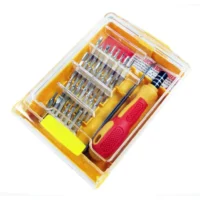
Before you begin, ensure you have all necessary tools on hand for a smooth installation. You will need:
- RG59 Power Ax – Recommend LZ Pure Copper
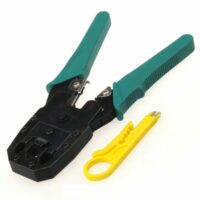
- Wire cutters/strippers
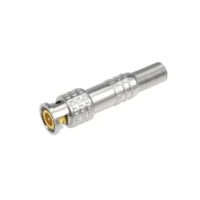
- BNC connector (screw type)
- Heat shrink tubing
- Electrical tape
- Utility knife or scissors
- Crimping tool (if applicable)
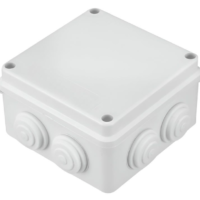
- IP65 utility/enclosure box
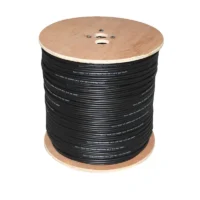
Step 2 – Prepare the Cable
Use your wire cutters to strip about 2.5 cm (1 inch) of the outer insulation to expose the shield and inner conductor. Be careful not to damage the inner copper wire.
Step 3 – Expose the Shielding
Gently twist the exposed shielding (braided wire) back over the outer insulation. This will create a clean connection point for the BNC connector. Make sure to leave enough inner conductor wire exposed for the connection (approximately 1 cm or 0.4 inches).
Step 4 – Insert the Connector
Take your BNC connector and slide the inner conductor through the center hole. Push it in until it reaches the bottom of the connector. The twisted shielding should also fit snugly into the connector body.
Step 5 – Secure the Connection
If using a crimp-type BNC connector, use the crimping tool to secure the connector to the cable. If it’s a screw-type, simply tighten the screw until it firmly grips the shielding and conductor. Ensure a strong connection to avoid signal loss.
Step 6 – Apply Heat Shrink Tubing
Cut a piece of heat shrink tubing (approximately 5 cm or 2 inches long) to cover the connection point. Slide it over the connector and use a heat gun to shrink it down for a waterproof seal. This also provides extra protection against wear and tear.
Step 7 – Insulate the Connection
For additional insulation, wrap electrical tape around the connection point, ensuring it is tightly secured. This will protect the connection from moisture and dust.
Step 8 – Place in Utility Box
For enhanced protection and aesthetics, place the completed connection into an IP65 utility/enclosure box. This will keep the connection safe from environmental elements and provide a clean look.
Step 9 – Test the Connection
Once everything is connected and secured, test the CCTV system to ensure that the connection works properly. Check for clear video feed and adjust if necessary.
Step 1 – Final Touches
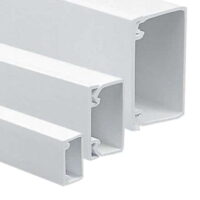
Organize any excess cable neatly and secure it using cable ties. For a cleaner installation, consider using trunking or conduit to conceal the cables. This not only protects the cables from damage but also enhances the aesthetics of the installation.
Step 1 – Final Touches
Organize any excess cable neatly and secure it using cable ties. For a cleaner installation, consider using trunking or conduit to conceal the cables. This not only protects the cables from damage but also enhances the aesthetics of the installation.
Additional Tips:
- Use Quality Connectors: Always opt for high-quality BNC connectors to ensure the best signal transmission.
- Avoid Excessive Bending: When installing the cable, avoid sharp bends that can damage the inner conductor.
- Regular Maintenance: Periodically check the connections for signs of wear or damage, especially if installed outdoors.
- Label Your Cables: For easier troubleshooting in the future, label each cable where possible.