Important: Set the Time Zone, Date, and Time Before Formatting
Before formatting the hard drive on your DVR, please ensure that the Time Zone, Date, and Time are set correctly.
-
- Recordings are time-stamped. If the Time Zone, Date, or Time is incorrect, recording and playback features may not function properly.
- If you need help setting up the Time Zone, Date, and Time, refer to this tutorial – xMeye DVR – Setting the Time.
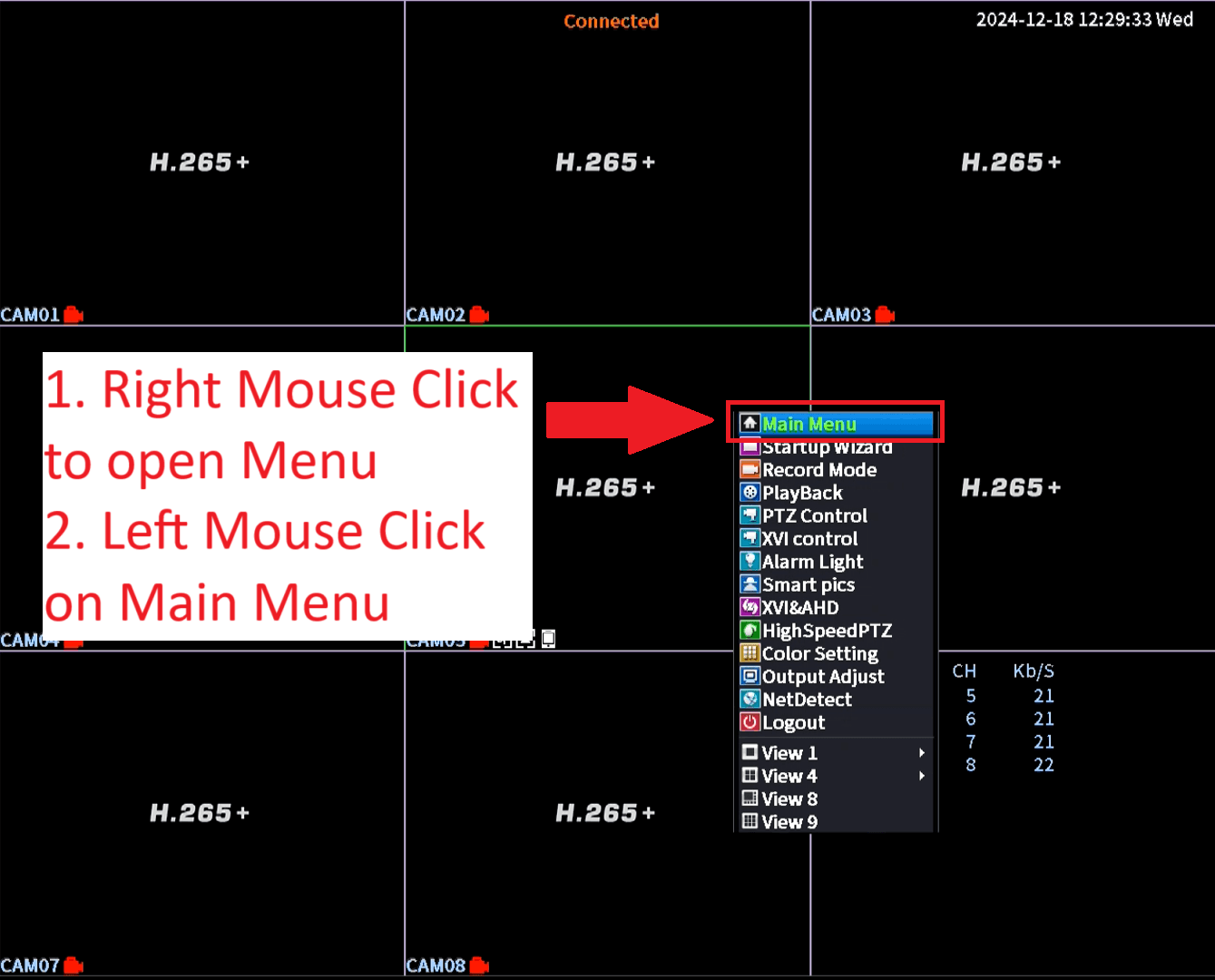
- Right Mouse Click anywhere to open Menu
- Left Mouse Click on Main Menu
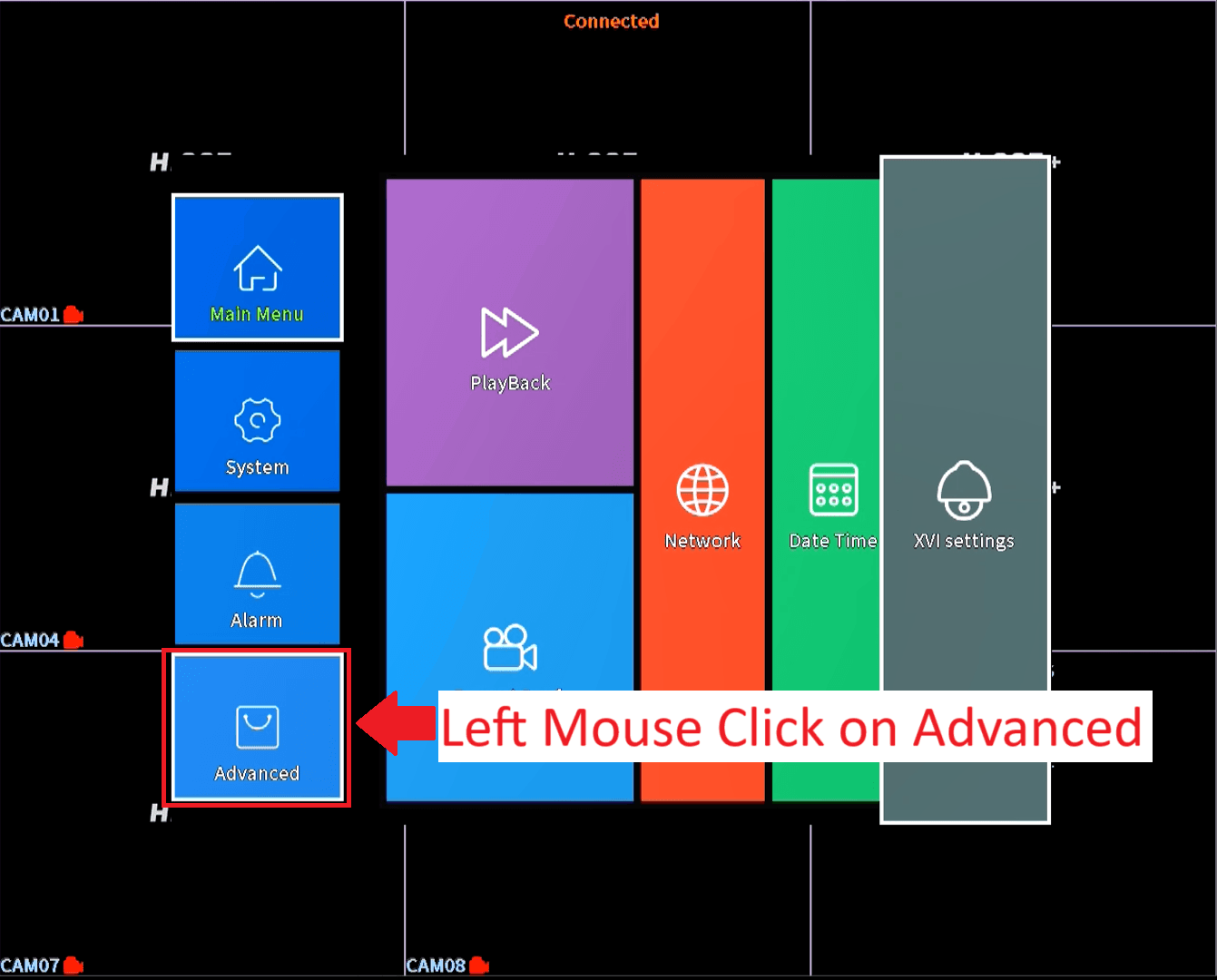
- Left Mouse Click on Advanced
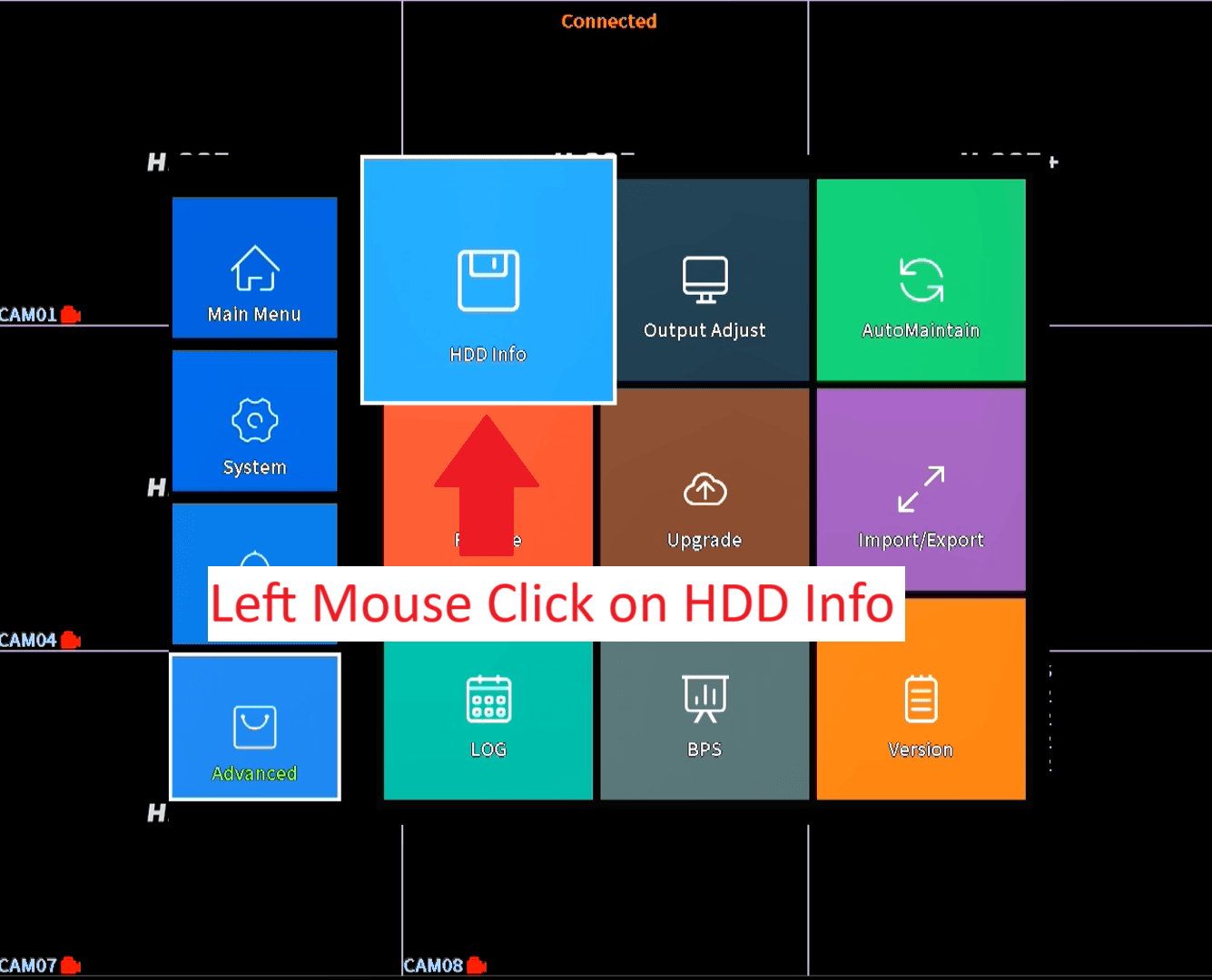
- Left Mouse Click on HDD Info
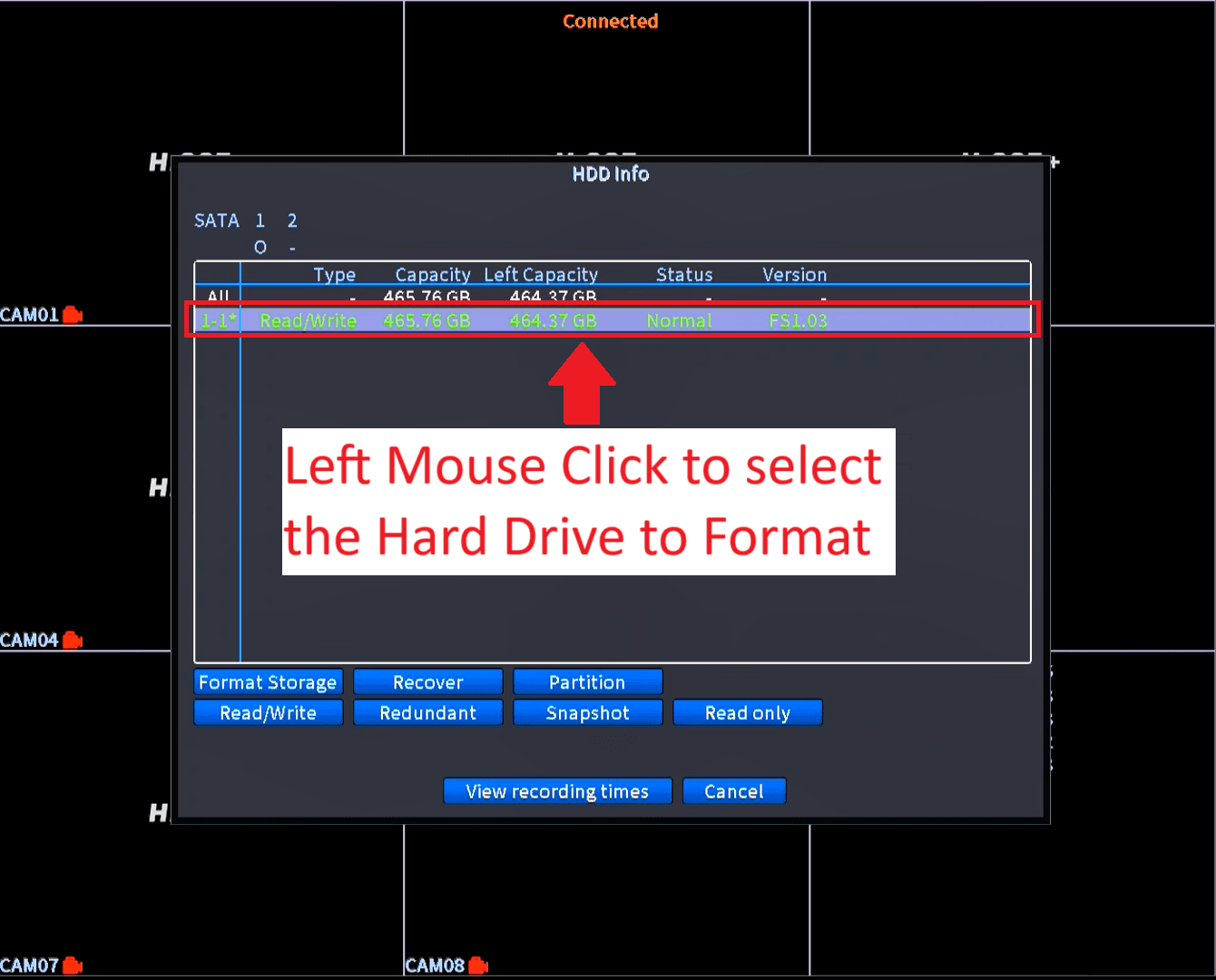
- Left Mouse Click on the Hard Drive
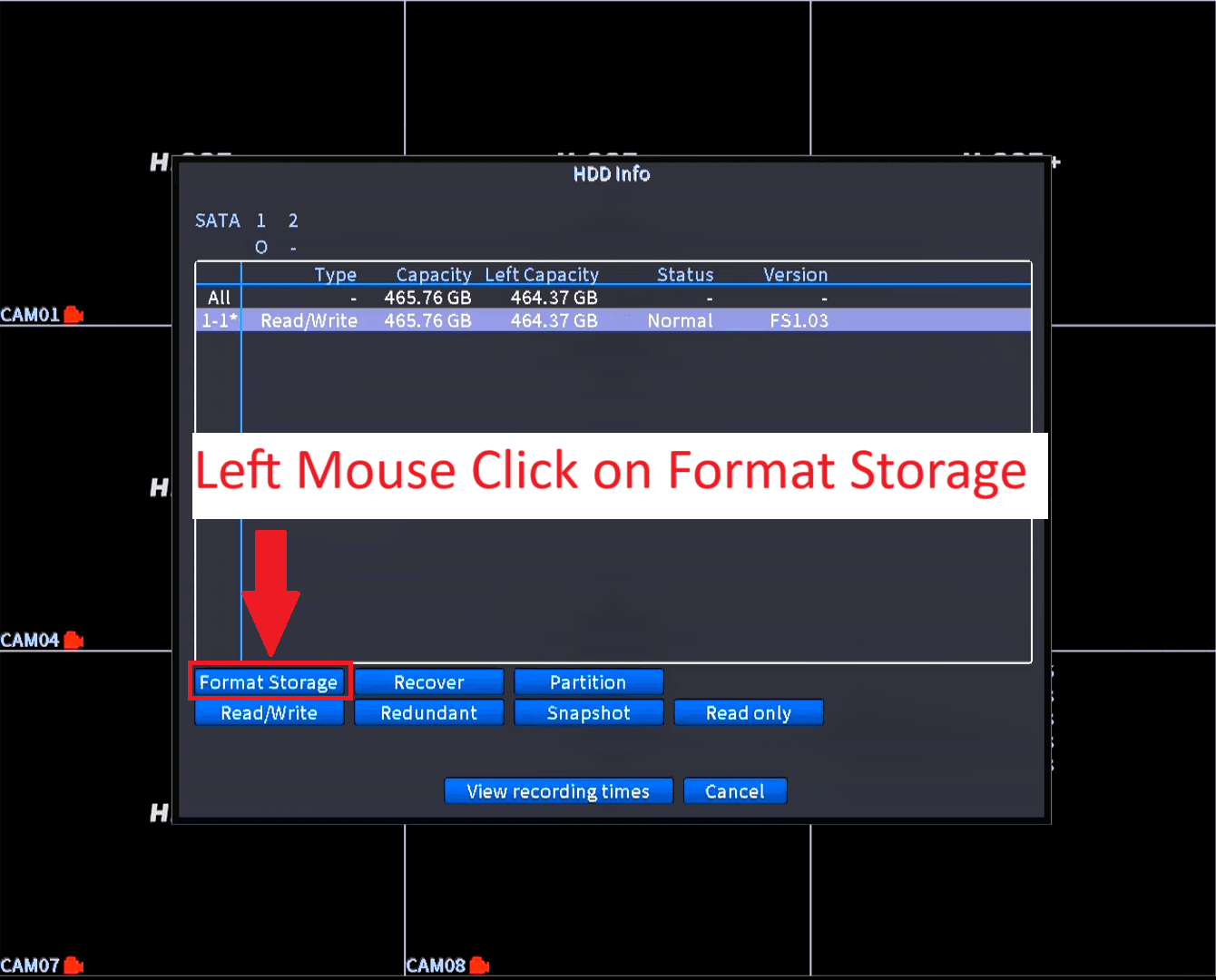
- Left Mouse Click on Format Storage
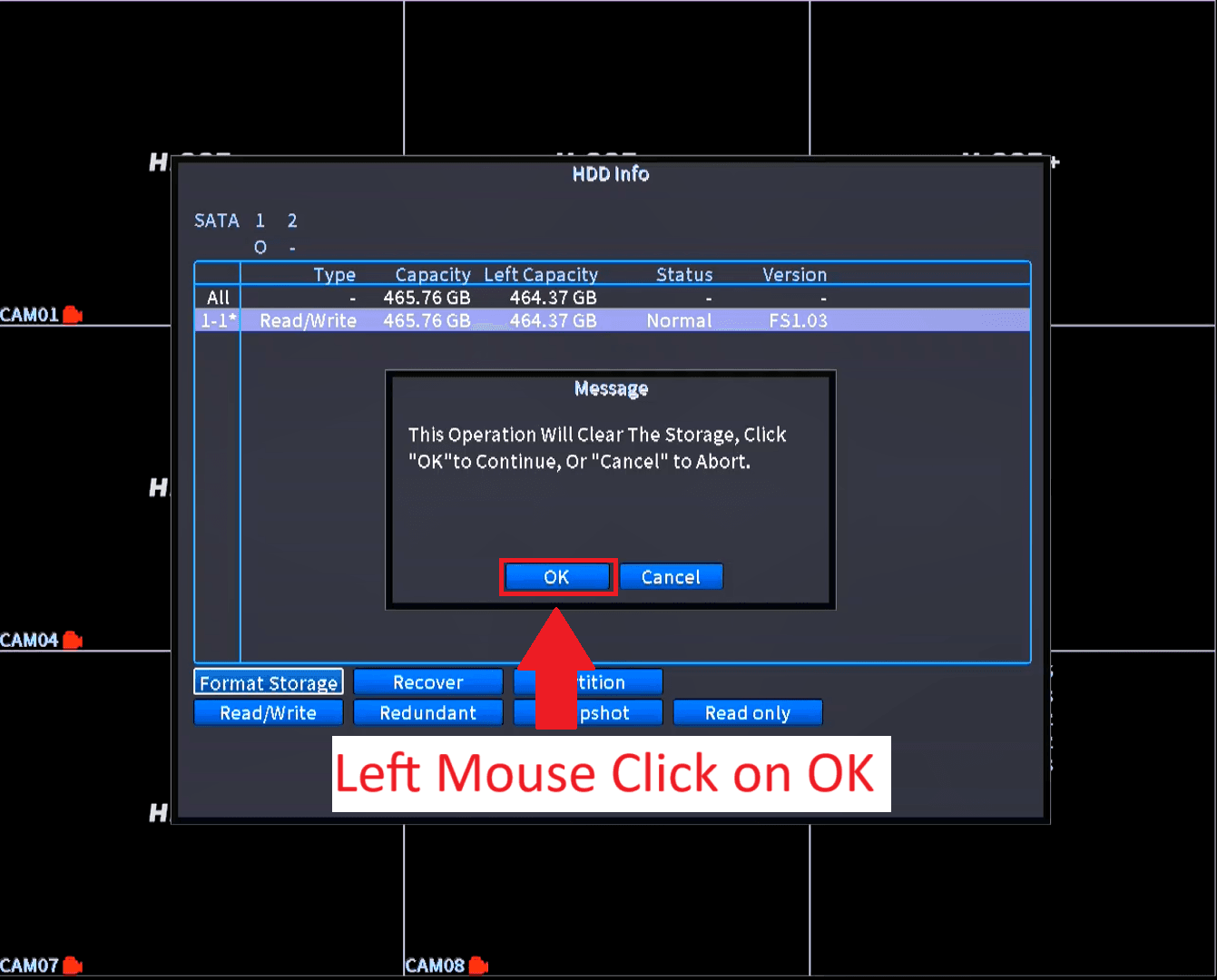
- Left Mouse Click on OK
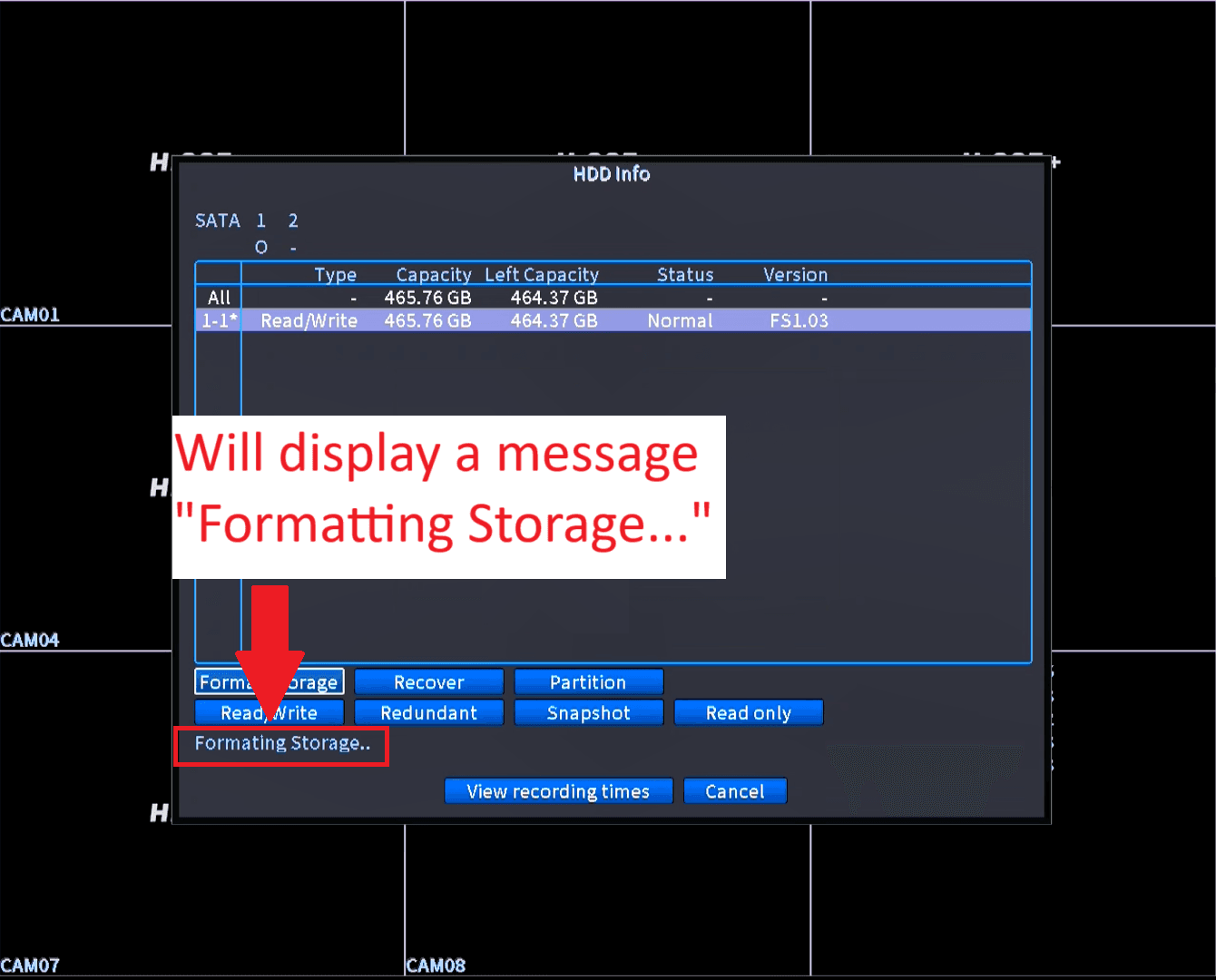
- Message will display “Formatting Storage”
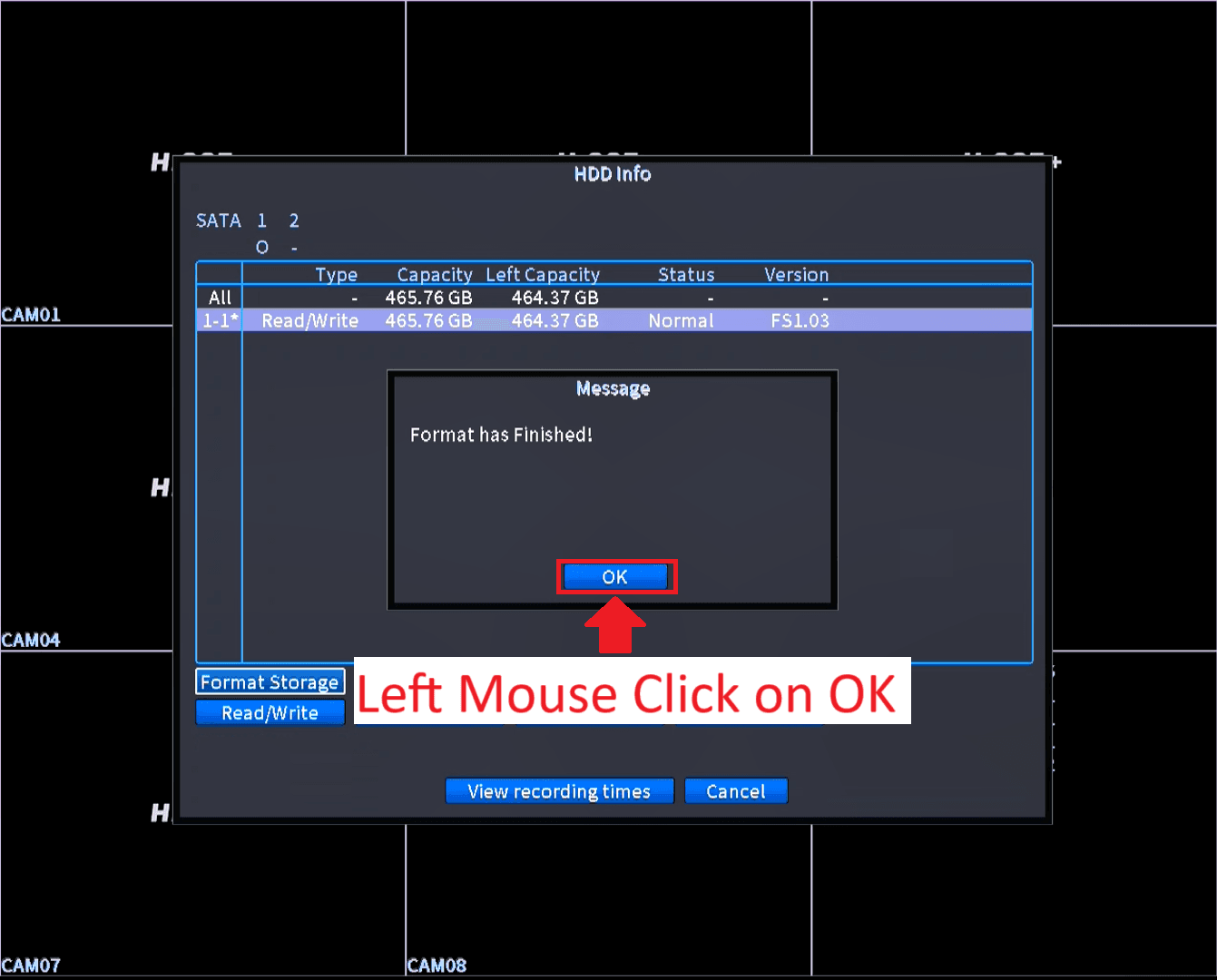
- Once formatting is completed, You will receive a message “Format has Finished!”
- Left Mouse click on “OK”