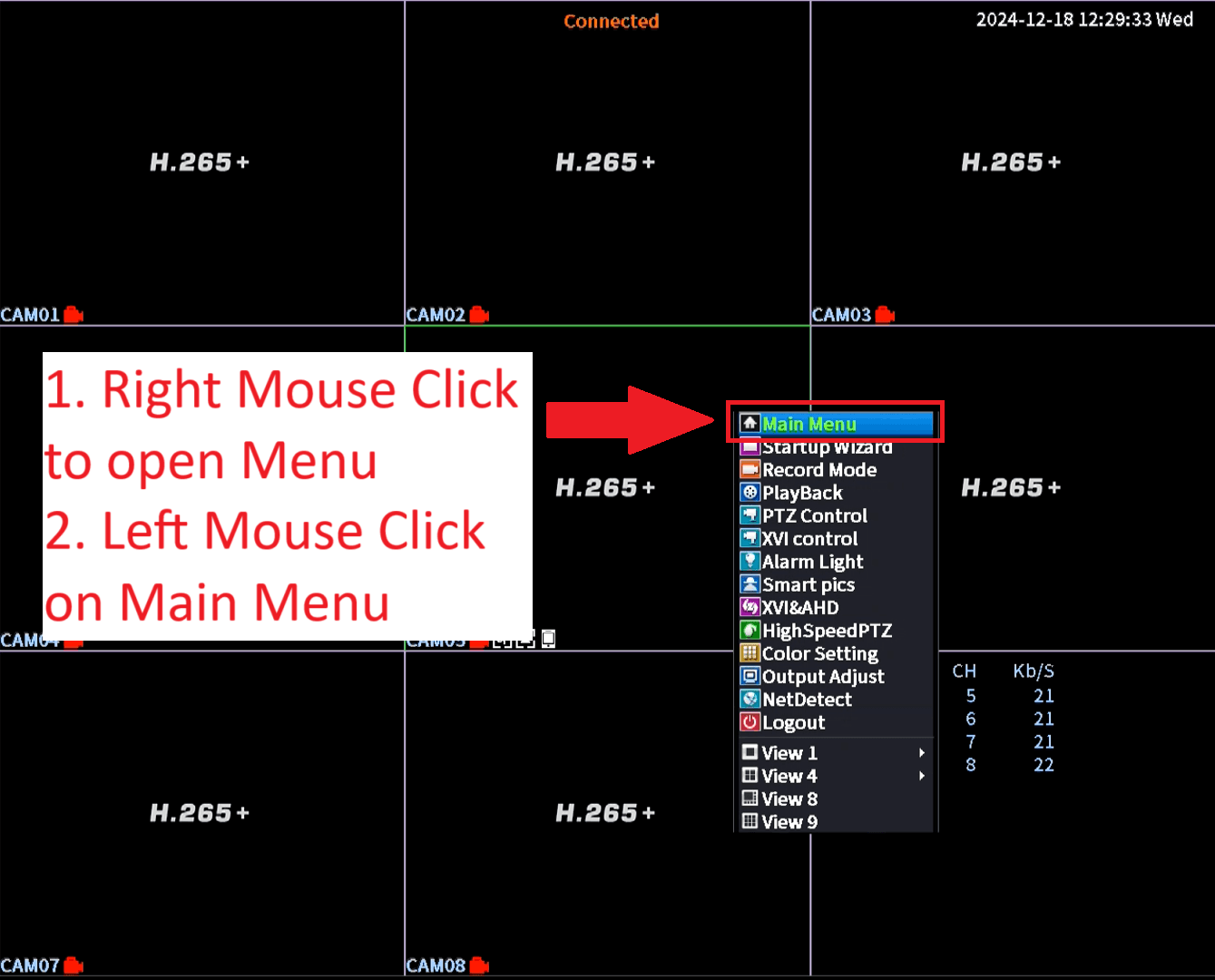
- Right Mouse Click anywhere to open Menu
- Left Mouse Click on Main Menu
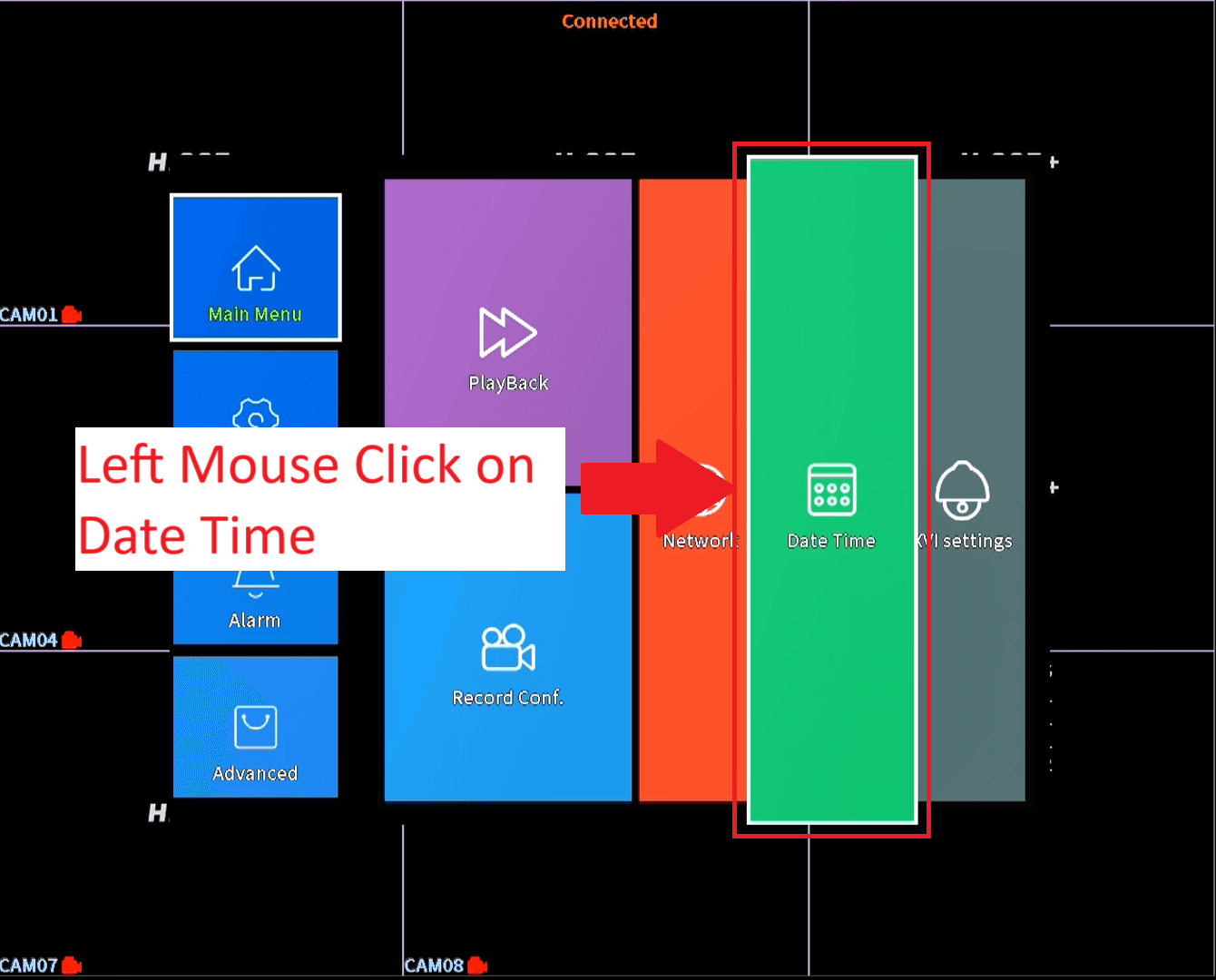
- Left Mouse Click on Date Time
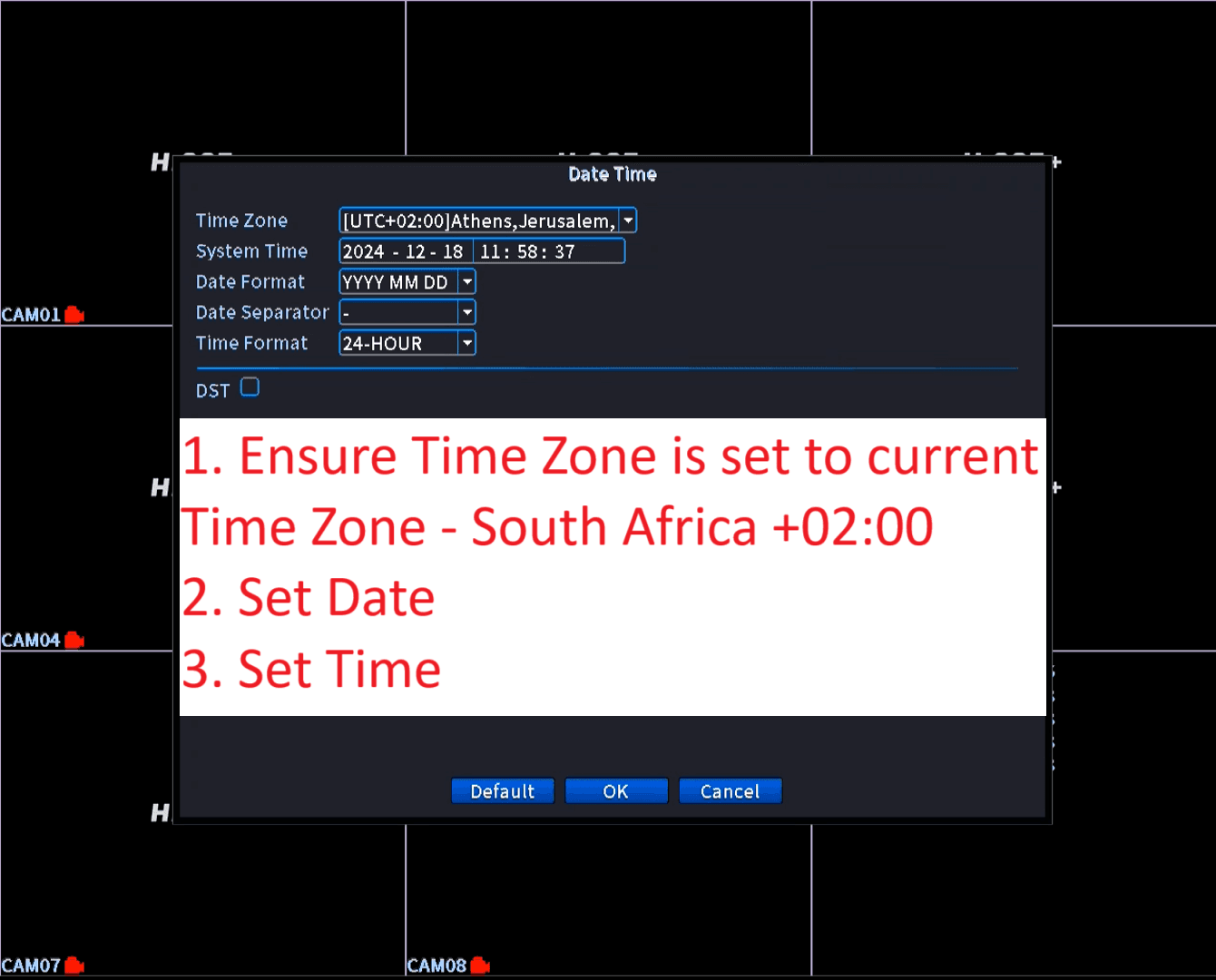
- Set the Time Zone to your current time zone 0 South Africa is +02:00
- Set the Current Date
- Set the Current Time
- Left Mouse Click on OK